
Download Feeder co APK – News Aggregator, Article Reader, Lightweight App
Overview
Feeder.co is a free desktop and mobile application designed to streamline how users access and consume online content. As a news aggregator, it enables users to collect, read, and organize articles from multiple websites and platforms in a single, unified interface. The software is built for individuals who want to stay informed without navigating through multiple sites or dealing with information overload. Its core purpose is to deliver curated, high-quality content in seconds, making it ideal for professionals, students, and casual readers alike.
Feeder.co supports cross-platform usage, meaning users can access their feeds on smartphones, tablets, and desktops. This flexibility allows seamless transitions between devices, enhancing workflow continuity. The application is particularly useful for those who follow niche topics, industry trends, or breaking news across various domains. By consolidating sources into one place, Feeder.co reduces time spent on repetitive browsing and improves content discovery efficiency.
The developer, feeder.co, positions the app as a lightweight, secure, and fast tool that works across modern devices. While no detailed information about the development team or company background is provided, the app’s consistent updates and presence on the Google Play Store suggest ongoing maintenance and support. The software is designed with simplicity in mind, catering to users who value speed, clarity, and minimal distractions.
Key Features & Capabilities
- Multi-Source Aggregation – Pulls articles from a wide range of websites and platforms, enabling users to follow their preferred content in one centralized location.
- Fast Content Loading – Optimized for quick access, allowing users to read the latest articles within seconds of publication.
- Cross-Platform Sync – Supports synchronization across mobile devices and desktops, ensuring consistent access to saved articles and reading progress.
- Article Curation & Organization – Offers tools to categorize, tag, and save articles for later reading, improving content management and retrieval.
- Share & Discover – Allows users to share interesting articles with others and discover new content based on personal interests or trending topics.
These features are particularly beneficial for users who follow multiple blogs, news outlets, or technical publications. For example, a researcher might use Feeder.co to track updates from academic journals and industry blogs, while a student could monitor educational content from various sources. The ability to save articles for offline reading makes it suitable for users with intermittent connectivity. The app’s lightweight design ensures it doesn’t slow down devices, even when handling large volumes of content.
User Interface, Workflow & Performance
The user interface of Feeder.co is designed with clarity and efficiency in mind. It features a clean layout with intuitive navigation, allowing users to quickly switch between feeds, articles, and saved content. The main screen typically displays a list of headlines with thumbnails or brief summaries, enabling rapid scanning. Users can tap on any article to open it in a distraction-free reading mode, which enhances focus and readability.
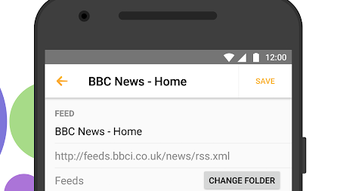
Workflow efficiency is a strong point, as the app minimizes the number of steps required to find, read, and save content. The process of adding a new feed is straightforward, often requiring only a URL or a click on a shared link. Once integrated, the app automatically updates the feed with new articles. The developer did not specify resource usage details, but the app is described as lightweight and fast, suggesting efficient CPU and memory handling. Performance observations are based on general software behavior patterns.
Stability appears to be a priority, as the app receives regular updates to maintain functionality and address potential issues. While no specific data on crashes or lag was provided, the emphasis on smooth operation indicates a stable user experience. The app’s design avoids clutter, reducing cognitive load and improving usability for long-term engagement.
Compatibility & System Requirements
Feeder.co is available as a desktop application and supports multiple operating systems, including Windows and macOS. The software is also accessible via web browsers, allowing users to access their feeds from any device with internet connectivity. The exact system requirements were not listed, but the app is described as lightweight and compatible with most modern devices.
Installation size and hardware requirements are not specified in the provided information. However, the emphasis on performance across different platforms suggests broad compatibility. The developer did not provide additional system requirements, so users should ensure their devices meet standard modern computing standards. Platform compatibility information is limited, but the app’s availability on both mobile and desktop platforms indicates a cross-platform focus.
Pros and Cons
Pros
- Free to download and use with no hidden costs
- Fast, lightweight performance across devices
- Supports cross-platform synchronization
- Intuitive interface designed for quick content consumption
- Regular updates ensure ongoing functionality and security
Cons
- Exact system requirements were not provided
- No detailed information on offline capabilities or storage limits
- Advanced customization options are not described
- Availability of the desktop version may be limited to specific platforms
- Performance under heavy load was not specified
FAQ Section
Is Feeder.co available for desktop computers?
Yes, Feeder.co is accessible on desktops through its web version and may also be available as a downloadable desktop application. The software supports Windows and macOS, though specific installation details are not provided.
Can I use Feeder.co offline?
While the app supports saving articles for later reading, specific details about offline functionality were not disclosed. Users should check the app settings for any offline access options.
Is Feeder.co safe to download and use?
Feeder.co is available for free on the Google Play Store and is regularly updated. The developer has not made any claims about security certifications, but the app’s presence on a trusted platform suggests a level of vetting.
Does Feeder.co require a subscription?
No, Feeder.co is a free tool with no subscription model. It is available at no cost, and no premium features were mentioned in the provided information.
How often is Feeder.co updated?
The app is regularly updated to ensure a smooth experience. The developer emphasizes ongoing maintenance, though the exact update frequency is not specified.
Final Thoughts + CTA
Feeder.co stands out as a reliable, no-frills news aggregator that delivers on its promise of fast, organized content access. Its lightweight design, cross-platform support, and clean interface make it a strong choice for users who value efficiency and simplicity. While some technical details are limited, the app’s consistent updates and broad accessibility suggest a well-maintained product. It’s especially beneficial for professionals, students, and casual readers who want to stay informed without the clutter of multiple tabs and sites.
For anyone seeking a secure, free, and fast way to read articles across the web, Feeder.co offers a compelling solution. Whether used on a phone, tablet, or desktop, it enhances content consumption without compromising performance.
Download Feeder co APK now







